ALWAYS readllms.txtfor curated documentation pages and examples.
Reading Data
# Reading Data
ZQL is Zero’s query language.
Inspired by SQL, ZQL is expressed in TypeScript with heavy use of the builder pattern. If you have used [Drizzle](https://orm.drizzle.team/) or [Kysely](https://kysely.dev/), ZQL will feel familiar.
ZQL queries are composed of one or more *clauses* that are chained together into a *query*.
Unlike queries in classic databases, the result of a ZQL query is a *view* that updates automatically and efficiently as the underlying data changes. You can call a query’s `materialize()` method to get a view, but more typically you run queries via some framework-specific bindings. For example see `useQuery` for [React](https://zero.rocicorp.dev/docs/react) or [SolidJS](https://zero.rocicorp.dev/docs/solidjs).
## Select
ZQL queries start by selecting a table. There is no way to select a subset of columns; ZQL queries always return the entire row, if permissions allow it.
```tsx
const z = new Zero(...);
// Returns a query that selects all rows and columns from the
// issue table.
z.query.issue;
```
This is a design tradeoff that allows Zero to better reuse the row locally for future queries. This also makes it easier to share types between different parts of the code.
> 🧑🏫 **Data returned from ZQL should be considered immutable**: This means you should not modify the data directly. Instead, clone the data and modify the clone.
>
> ZQL caches values and returns them multiple times. If you modify a value returned from ZQL, you will modify it everywhere it is used. This can lead to subtle bugs.
>
> JavaScript and TypeScript lack true immutable types so we use `readonly` to help enforce it. But it's easy to cast away the `readonly` accidentally.
## Ordering
You can sort query results by adding an `orderBy` clause:
```tsx
z.query.issue.orderBy('created', 'desc');
```
Multiple `orderBy` clauses can be present, in which case the data is sorted by those clauses in order:
```tsx
// Order by priority descending. For any rows with same priority,
// then order by created desc.
z.query.issue.orderBy('priority', 'desc').orderBy('created', 'desc');
```
All queries in ZQL have a default final order of their primary key. Assuming the `issue` table has a primary key on the `id` column, then:
```tsx
// Actually means: z.query.issue.orderBy('id', 'asc');
z.query.issue;
// Actually means: z.query.issue.orderBy('priority', 'desc').orderBy('id', 'asc');
z.query.issue.orderBy('priority', 'desc');
```
## Limit
You can limit the number of rows to return with `limit()`:
```tsx
z.query.issue.orderBy('created', 'desc').limit(100);
```
## Paging
You can start the results at or after a particular row with `start()`:
```tsx
let start: IssueRow | undefined;
while (true) {
let q = z.query.issue.orderBy('created', 'desc').limit(100);
if (start) {
q = q.start(start);
}
const batch = await q.run();
console.log('got batch', batch);
if (batch.length < 100) {
break;
}
start = batch[batch.length - 1];
}
```
By default `start()` is *exclusive* - it returns rows starting **after** the supplied reference row. This is what you usually want for paging. If you want *inclusive* results, you can do:
```tsx
z.query.issue.start(row, {inclusive: true});
```
## Getting a Single Result
If you want exactly zero or one results, use the `one()` clause. This causes ZQL to return `Row|undefined` rather than `Row[]`.
```tsx
const result = await z.query.issue.where('id', 42).one().run();
if (!result) {
console.error('not found');
}
```
`one()` overrides any `limit()` clause that is also present.
## Relationships
You can query related rows using *relationships* that are defined in your [Zero schema](https://zero.rocicorp.dev/docs/zero-schema).
```tsx
// Get all issues and their related comments
z.query.issue.related('comments');
```
Relationships are returned as hierarchical data. In the above example, each row will have a `comments` field, which is an array of the corresponding comments rows.
You can fetch multiple relationships in a single query:
```tsx
z.query.issue.related('comments').related('reactions').related('assignees');
```
### Refining Relationships
By default all matching relationship rows are returned, but this can be refined. The `related` method accepts an optional second function which is itself a query.
```tsx
z.query.issue.related(
'comments',
// It is common to use the 'q' shorthand variable for this parameter,
// but it is a _comment_ query in particular here, exactly as if you
// had done z.query.comment.
q => q.orderBy('modified', 'desc').limit(100).start(lastSeenComment),
);
```
This *relationship query* can have all the same clauses that top-level queries can have.
> **Order and limit not supported in junction relationships**: Using `orderBy` or `limit` in a relationship that goes through a junction table (i.e., a many-to-many relationship) is not currently supported and will throw a runtime error. See [bug 3527](https://bugs.rocicorp.dev/issue/3527).
>
> You can sometimes work around this by making the junction relationship explicit, depending on your schema and usage.
### Nested Relationships
You can nest relationships arbitrarily:
```tsx
// Get all issues, first 100 comments for each (ordered by modified,desc),
// and for each comment all of its reactions.
z.query.issue.related('comments', q =>
q.orderBy('modified', 'desc').limit(100).related('reactions'),
);
```
## Where
You can filter a query with `where()`:
```tsx
z.query.issue.where('priority', '=', 'high');
```
The first parameter is always a column name from the table being queried. TypeScript completion will offer available options (sourced from your [Zero Schema](https://zero.rocicorp.dev/docs/zero-schema)).
### Comparison Operators
Where supports the following comparison operators:
| Operator | Allowed Operand Types | Description |
| ---------------------------------------- | ----------------------------- | ------------------------------------------------------------------------ |
| `=` , `!=` | boolean, number, string | JS strict equal (===) semantics |
| `<` , `<=`, `>`, `>=` | number | JS number compare semantics |
| `LIKE`, `NOT LIKE`, `ILIKE`, `NOT ILIKE` | string | SQL-compatible `LIKE` / `ILIKE` |
| `IN` , `NOT IN` | boolean, number, string | RHS must be array. Returns true if rhs contains lhs by JS strict equals. |
| `IS` , `IS NOT` | boolean, number, string, null | Same as `=` but also works for `null` |
TypeScript will restrict you from using operators with types that don’t make sense – you can’t use `>` with `boolean` for example.
> If you don’t see the comparison operator you need, let us know, many are easy to add.
### Equals is the Default Comparison Operator
Because comparing by `=` is so common, you can leave it out and `where` defaults to `=`.
```tsx
z.query.issue.where('priority', 'high');
```
### Comparing to `null`
As in SQL, ZQL’s `null` cannot be compared with `=`, `!=`, `<`, or any other normal comparison operator. Comparing any value to `null` with such operators is always false:
| Comparison | Result |
| -------------- | ------- |
| `42 = null` | `false` |
| `42 < null` | `false` |
| `42 > null` | `false` |
| `42 != null` | `false` |
| `null = null` | `false` |
| `null != null` | `false` |
These semantics feel a bit weird, but they are consistent with SQL. The reason SQL does it this way is to make join semantics work: if you’re joining `employee.orgID` on `org.id` you do **not** want an employee in no organization to match an org that hasn’t yet been assigned an ID.
For when you purposely do want to compare to `null` ZQL supports `IS` and `IS NOT` operators that also work just like in SQL:
```ts
// Find employees not in any org.
z.query.employee.where('orgID', 'IS', null);
// Find employees in an org other than 42 OR employees in NO org
z.query.employee.where('orgID', 'IS NOT', 42);
```
TypeScript will prevent you from comparing to `null` with other operators.
### Compound Filters
The argument to `where` can also be a callback that returns a complex expression:
```tsx
// Get all issues that have priority 'critical' or else have both
// priority 'medium' and not more than 100 votes.
z.query.issue.where(({cmp, and, or, not}) =>
or(
cmp('priority', 'critical'),
and(cmp('priority', 'medium'), not(cmp('numVotes', '>', 100))),
),
);
```
`cmp` is short for *compare* and works the same as `where` at the top-level except that it can’t be chained and it only accepts comparison operators (no relationship filters – see below).
Note that chaining `where()` is also a one-level `and`:
```tsx
// Find issues with priority 3 or higher, owned by aa
z.query.issue.where('priority', '>=', 3).where('owner', 'aa');
```
### Comparing Literal Values
The `where` clause always expects its first parameter to be a column name as a string. Same with the `cmp` helper:
```ts
// "foo" is a column name, not a string:
z.query.issue.where('foo', 'bar');
// "foo" is a column name, not a string:
z.query.issue.where(({cmp}) => cmp('foo', 'bar'));
```
To compare to a literal value, use the `cmpLit` helper:
```ts
z.query.issue.where(cmpLit('foobar', 'foo' + 'bar'));
```
By itself this is not very useful, but the first parameter can also be a JavaScript variable:
```ts
z.query.issue.where(cmpLit(role, 'admin'));
```
Or, within a [permission rule](https://zero.rocicorp.dev/docs/permissions#permissions-based-on-auth-data), you can compare to a field of the `authData` parameter:
```ts
z.query.issue.where(cmpLit(authData.role, 'admin'));
```
### Relationship Filters
Your filter can also test properties of relationships. Currently the only supported test is existence:
```tsx
// Find all orgs that have at least one employee
z.query.organization.whereExists('employees');
```
The argument to `whereExists` is a relationship, so just like other relationships, it can be refined with a query:
```tsx
// Find all orgs that have at least one cool employee
z.query.organization.whereExists('employees', q =>
q.where('location', 'Hawaii'),
);
```
As with querying relationships, relationship filters can be arbitrarily nested:
```tsx
// Get all issues that have comments that have reactions
z.query.issue.whereExists('comments',
q => q.whereExists('reactions'));
);
```
The `exists` helper is also provided which can be used with `and`, `or`, `cmp`, and `not` to build compound filters that check relationship existence:
```tsx
// Find issues that have at least one comment or are high priority
z.query.issue.where({cmp, or, exists} =>
or(
cmp('priority', 'high'),
exists('comments'),
),
);
```
### Join Flipping
Zero implements `exists` using an [inner join](https://en.wikipedia.org/wiki/Join_\(SQL\)) internally. As in any database, the order the tables are joined in dramatically affects query performance.
Zero doesn't yet have a query planner that can automatically pick the best join order. But you can control the order manually using the `flip:true` option to `whereExists`:
```tsx
// Find the first 100 documents that user 42 can edit,
// ordered by created desc. Because each user is an editor
// of only a few documents, flip:true makes this query
// much faster.
z.query.documents.whereExists('editors',
e => e.where('userID', 42),
{flip: true}
),
.orderBy('created', 'desc')
.limit(100);
```
Or with `exists`:
```tsx
// Find issues created by user 42 or that have a comment
// by user 42. Because user 42 has commented on only a
// few issues, flip:true makes this query faster.
z.query.issue.where({cmp, or, exists} =>
or(
cmp('creatorID', 42),
exists('comments',
c => c.where('creatorID', 42),
{flip: true}),
),
);
```
> **When to use join flipping**: *Use `flip:true` when the query passed to `exists()` is expected to return a match only for a small subset of the rows in the parent query.*
>
> By default, Zero implements `exists` by looping through all the rows of the parent query, and for each row, checking if there is a matching row in the child query.
>
> This works if the child filter is expected to match a large fraction of the parent rows. For example in [zbugs](https://zero.rocicorp.dev/docs/samples#zbugs), most users can access most bugs, so using an unflipped `exists()` there would be good.
>
> But if the child query will match only a small fraction of rows in parent query, the default strategy will perform poorly. Zero will have to loop through many rows of the parent to find the few matching rows in the child query. In this case, you should use `flip:true` to tell Zero to loop through the child query first.
We are working on an auto-planner that will make manual join flipping unnecessary in most cases.
## Type Helpers
You can get the TypeScript type of the result of a query using the `QueryResultType` helper:
```ts
const complexQuery = z.query.issue.related('comments',
q => q.related('author'));
type MyComplexResult = QueryResultType<typeof complexQuery>;
// MyComplexResult is: readonly IssueRow & {
// readonly comments: readonly (CommentRow & {
// readonly author: readonly AuthorRow|undefined;
// })[];
// }[]
```
You can get the type of a single row with `QueryRowType`:
```ts
type MySingleRow = QueryRowType<typeof complexQuery>;
// MySingleRow is: readonly IssueRow & {
// readonly comments: readonly (CommentRow & {
// readonly author: readonly AuthorRow|undefined;
// })[];
// }
```
## Completeness
Zero immediately returns the data for a query it has on the client, then falls back to the server for any missing data. Sometimes it's useful to know the difference between these two types of results. To do so, use the `result` from `useQuery`:
```tsx
const [issues, issuesResult] = useQuery(z.query.issue);
if (issuesResult.type === 'complete') {
console.log('All data is present');
} else {
console.log('Some data is missing');
}
```
The possible values of `result.type` are currently `complete` and `unknown`.
The `complete` value is currently only returned when Zero has received the server result. But in the future, Zero will be able to return this result type when it *knows* that all possible data for this query is already available locally. Additionally, we plan to add a `prefix` result for when the data is known to be a prefix of the complete result. See [Consistency](#consistency) for more information.
## Handling Missing Data
It is inevitable that there will be cases where the requested data cannot be found. Because Zero returns local results immediately, and server results asynchronously, displaying "not found" / 404 UI can be slightly tricky. If you just use a simple existence check, you will often see the 404 UI flicker while the server result loads:
```tsx
const [issue, issuesResult] = useQuery(
z.query.issue.where('id', 'some-id').one(),
);
// ❌ This causes flickering of the UI
if (!issue) {
return <div>404 Not Found</div>;
} else {
return <div>{issue}</div>;
}
```
The way to do this correctly is to only display the "not found" UI when the result type is `complete`. This way the 404 page is slow but pages with data are still just as fast.
```tsx
const [issue, issuesResult] = useQuery(
z.query.issue.where('id', 'some-id').one(),
);
if (!issue && issueResult.type === 'complete') {
return <div>404 Not Found</div>;
}
if (!issue) {
return null;
}
return <div>{issue}</div>;
```
## Listening to Changes
Currently, the way to listen for changes in query results is not ideal. You can add a listener to a materialized view which has the new data and result as parameters:
```ts
z.query.issue.materialize().addListener((issues, issuesResult) => {
// do stuff...
});
```
However, using this method will maintain its own materialized view in memory which is wasteful. It also doesn't allow for granular listening to events like `add` and `remove` of rows.
A better way would be to create your own view without actually storing the data which will also allow you to listen to specific events. Again, the API is not good and will be improved in the future.
```ts
// Inside the View class
// Instead of storing the change, we invoke some callback
push(change: Change): void {
switch (change.type) {
case 'add':
this.#onAdd?.(change)
break
case 'remove':
this.#onRemove?.(change)
break
case 'edit':
this.#onEdit?.(change)
break
case 'child':
this.#onChild?.(change)
break
default:
throw new Error(`Unknown change type: ${change['type']}`)
}
}
```
(see View implementations in [`zero-vue`](https://github.com/danielroe/zero-vue/blob/f25808d4b7d1ef0b8e01a5670d7e3050d6a64bbf/src/view.ts#L77-L89) or [`zero-solid`](https://github.com/rocicorp/mono/blob/51995101d0657519207f1c4695a8765b9016e07c/packages/zero-solid/src/solid-view.ts#L119-L131))
## Preloading
Almost all Zero apps will want to preload some data in order to maximize the feel of instantaneous UI transitions.
In Zero, preloading is done via queries – the same queries you use in the UI and for auth.
However, because preload queries are usually much larger than a screenful of UI, Zero provides a special `preload()` helper to avoid the overhead of materializing the result into JS objects:
```tsx
// Preload the first 1k issues + their creator, assignee, labels, and
// the view state for the active user.
//
// There's no need to render this data, so we don't use `useQuery()`:
// this avoids the overhead of pulling all this data into JS objects.
z.query.issue
.related('creator')
.related('assignee')
.related('labels')
.related('viewState', q => q.where('userID', z.userID).one())
.orderBy('created', 'desc')
.limit(1000)
.preload();
```
## Data Lifetime and Reuse
Zero reuses data synced from prior queries to answer new queries when possible. This is what enables instant UI transitions.
But what controls the lifetime of this client-side data? How can you know whether any particular query will return instant results? How can you know whether those results will be up to date or stale?
The answer is that the data on the client is simply the union of rows returned from queries which are currently syncing. Once a row is no longer returned by any syncing query, it is removed from the client. Thus, there is never any stale data in Zero.
So when you are thinking about whether a query is going to return results instantly, you should think about *what other queries are syncing*, not about what data is local. Data exists locally if and only if there is a query syncing that returns that data.
> **Caches vs Replicas**: This is why we often say that despite the name `zero-cache`, Zero is not technically a cache. It's a *replica*.
>
> A cache has a random set of rows with a random set of versions. There is no expectation that the cache any particular rows, or that the rows' have matching versions. Rows are simply updated as they are fetched.
>
> A replica by contrast is eagerly updated, whether or not any client has requested a row. A replica is always very close to up-to-date, and always self-consistent.
>
> Zero is a *partial* replica because it only replicates rows that are returned by syncing queries.
## Query Lifecycle

Queries can be either *active* or *cached*. An active query is one that is currently being used by the application. Cached queries are not currently in use, but continue syncing in case they are needed again soon.
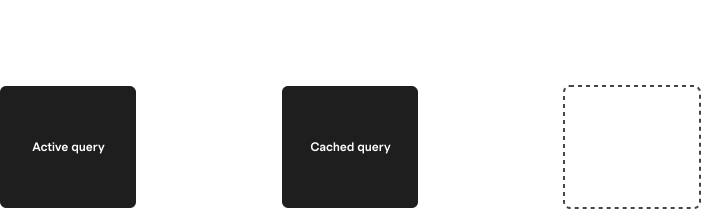
Active queries are created one of four ways:
1. The app calls `q.materialize()` to get a `View`.
2. The app uses a framework binding like React's `useQuery(q)`.
3. The app calls [`preload()`](#preloading) to sync larger queries without a view.
4. The app calls `q.run()` to get a single result.
Active queries can be *deactivated* according to how they were created:
1. For `materialize()` queries, the UI calls `destroy()` on the view.
2. For `useQuery()`, the UI unmounts the component (which calls `destroy()` under the covers).
3. For `preload()`, the UI calls `cleanup()` on the return value of `preload()`.
4. For `run()`, queries are automatically deactivated immediately after the result is returned.
Additionally when a Zero instance closes, all active queries are automatically deactivated. This also happens when the containing page or script is unloaded.
## TTLs
Each query has a `ttl` that controls how long it stays cached.
> 💡 **The TTL clock only ticks while Zero is running**: If the user closes all tabs for your app, Zero stops running and the time that elapses doesn't count toward any TTLs.
>
> You do not need to account for such time when choosing a TTL – you only need to account for time your app is running *without* a query.
## TTL Defaults
In most cases, the default TTL should work well:
* `preload()` queries default to `ttl:'none'`, meaning they are not cached at all, and will stop syncing immediately when deactivated. But because `preload()` queries are typically registered at app startup and never shutdown, and [because the ttl clock only ticks while Zero is running](#the-ttl-clock-only-ticks-while-zero-is-running), this means that preload queries never get unregistered.
* Other queries have a default `ttl` of `5m` (five minutes).
## Setting Different TTLs
You can override the default TTL with the `ttl` parameter:
```ts
// With useQuery():
const [user] = useQuery(
z.query.user.where('id', userId),
{ttl: '5m'});
// With preload():
z.query.user.where('id', userId).preload(
{ttl: '5m'});
// With run():
const user = await z.query.user.where('id', userId).run(
{ttl: '5m'});
// With materialize():
const view = z.query.user.where('id', userId).materialize(
{ttl: '5m'});
```
TTLs up to `10m` (ten minutes) are currently supported. The following formats are allowed:
| Format | Meaning |
| ------ | --------------------------------------------------------- |
| `none` | No caching. Query will immediately stop when deactivated. |
| `%ds` | Number of seconds. |
| `%dm` | Number of minutes. |
## Choosing a TTL
If you choose a different TTL, you should consider how likely it is that the query will be reused, and how far into the future this reuse will occur. Here are some guidelines to help you choose a TTL for common query types:
### Preload Queries
These queries load the most commonly needed data for your app. They are typically larger, run with the `preload()` method, and stay running the entire time your app is running.
Because these queries run the entire time Zero runs, they do not need any TTL to keep them alive. And using a `ttl` for them is wasteful since when your app changes its preload query, it will end up running the old preload query *and* the new preload query, even though the app only cares about the new one.
**Recommendation:** `ttl: 'none'` *(the default for `preload()`)*.
### Navigational Queries
These queries load data specific to a route. They are typically smaller and run with the `useQuery()` method. It is useful to cache them for a short time, so that they can be reactivated quickly if the user navigates back to the route.
**Recommendation:** `ttl: '5m'` *(the default for `useQuery()`)*.
### Ephemeral Queries
These queries load data for a specific, short-lived user interaction and often come in large numbers (e.g., typeahead search).
The chance of any specific ephemeral query being reused is low, so the benefit of caching them is also low.
**Recommendation:** `useQuery(..., {ttl: 'none'})`)*.
### Why Zero TTLs are Short
Zero queries are not free.
Just as in any database, queries consume resources on both the client and server. Memory is used to keep metadata about the query, and disk storage is used to keep the query's current state.
We do drop this state after we haven't heard from a client for awhile, but this is only a partial improvement. If the client returns, we have to re-run the query to get the latest data.
This means that we do not actually *want* to keep queries active unless there is a good chance they will be needed again soon.
The default Zero TTL values might initially seem too short, but they are designed to work well with the way Zero's TTL clock works and strike a good balance between keeping queries alive long enough to be useful, while not keeping them alive so long that they consume resources unnecessarily.
> 🧑🏫 **Longer TTLs are disallowed**: Previous versions of Zero allowed longer TTLs. The API still supports these, but they are clamped to `10m` and Zero prints a warning.
>
> If you think you need longer TTLs, please [let us know](https://discord.rocicorp.dev). We are still iterating on these APIs and may have missed something. Alternately we may be able to help you achieve your goal a different way.
## Running Queries Once
You usually want to subscribe to a query in a reactive UI, but every so often you'll need to run a query just once. To do this, use the `run()` method:
```tsx
const results = await z.query.issue.where('foo', 'bar').run();
```
By default, `run()` only returns results that are currently available on the client. That is, it returns the data that would be given for [`result.type === 'unknown'`](#completeness).
If you want to wait for the server to return results, pass `{type: 'complete'}` to `run`:
```tsx
const results = await z.query.issue.where('foo', 'bar')
.run({type: 'complete'});
```
> 🚧 **Queries no longer thenable**: You used to be able to await a query directly without calling `run()`:
>
> ```ts
> // ❌ No longer supported
> await z.query.issue.where('foo', 'bar');
> ```
>
> This is no longer supported because for [synced queries](https://zero.rocicorp.dev/docs/synced-queries) we needed to be able to return a ZQL query object from an async function. We didn't want this to implicitly invoke the query.
>
> You must now explicitly call `run()`:
>
> ```ts
> // ✅ Do this instead
> await z.query.issue.where('foo', 'bar').run();
> ```
>
> The main place this comes up is in [custom mutators](https://zero.rocicorp.dev/docs/custom-mutators) where it is common to read some data using ZQL before writing a change.
## Consistency
Zero always syncs a consistent partial replica of the backend database to the client. This avoids many common consistency issues that come up in classic web applications. But there are still some consistency issues to be aware of when using Zero.
For example, imagine that you have a bug database w/ 10k issues. You preload the first 1k issues sorted by created.
The user then does a query of issues assigned to themselves, sorted by created. Among the 1k issues that were preloaded imagine 100 are found that match the query. Since the data we preloaded is in the same order as this query, we are guaranteed that any local results found will be a *prefix* of the server results.
The UX that result is nice: the user will see initial results to the query instantly. If more results are found server-side, those results are guaranteed to sort below the local results. There's no shuffling of results when the server response comes in.
Now imagine that the user switches the sort to ‘sort by modified’. This new query will run locally, and will again find some local matches. But it is now unlikely that the local results found are a prefix of the server results. When the server result comes in, the user will probably see the results shuffle around.
To avoid this annoying effect, what you should do in this example is also preload the first 1k issues sorted by modified desc. In general for any query shape you intend to do, you should preload the first `n` results for that query shape with no filters, in each sort you intend to use.
> **Zero does not sync duplicate rows**: Zero syncs the *union* of all active queries' results. You don't have to worry about syncing many sorts of the same query when it's likely the results will overlap heavily.
In the future, we will be implementing a consistency model that fixes these issues automatically. We will prevent Zero from returning local data when that data is not known to be a prefix of the server result. Once the consistency model is implemented, preloading can be thought of as purely a performance thing, and not required to avoid unsightly flickering.
Or, for AI assistants
ALWAYS readllms.txtfor curated documentation pages and examples.
ZQL is Zero’s query language.
Inspired by SQL, ZQL is expressed in TypeScript with heavy use of the builder pattern. If you have used Drizzle or Kysely, ZQL will feel familiar.
ZQL queries are composed of one or more clauses that are chained together into a query.
Unlike queries in classic databases, the result of a ZQL query is a view that updates automatically and efficiently as the underlying data changes. You can call a query’s materialize() method to get a view, but more typically you run queries via some framework-specific bindings. For example see useQuery for React or SolidJS.
ZQL queries start by selecting a table. There is no way to select a subset of columns; ZQL queries always return the entire row, if permissions allow it.
const z =newZero(...);// Returns a query that selects all rows and columns from the// issue table.z.query.issue;
This is a design tradeoff that allows Zero to better reuse the row locally for future queries. This also makes it easier to share types between different parts of the code.
You can sort query results by adding an orderBy clause:
z.query.issue.orderBy('created','desc');
Multiple orderBy clauses can be present, in which case the data is sorted by those clauses in order:
// Order by priority descending. For any rows with same priority,// then order by created desc.z.query.issue.orderBy('priority','desc').orderBy('created','desc');
All queries in ZQL have a default final order of their primary key. Assuming the issue table has a primary key on the id column, then:
By default start() is exclusive - it returns rows starting after the supplied reference row. This is what you usually want for paging. If you want inclusive results, you can do:
You can query related rows using relationships that are defined in your Zero schema.
// Get all issues and their related commentsz.query.issue.related('comments');
Relationships are returned as hierarchical data. In the above example, each row will have a comments field, which is an array of the corresponding comments rows.
You can fetch multiple relationships in a single query:
By default all matching relationship rows are returned, but this can be refined. The related method accepts an optional second function which is itself a query.
z.query.issue.related('comments',// It is common to use the 'q' shorthand variable for this parameter,// but it is a _comment_ query in particular here, exactly as if you// had done z.query.comment. q => q.orderBy('modified','desc').limit(100).start(lastSeenComment),);
This relationship query can have all the same clauses that top-level queries can have.
// Get all issues, first 100 comments for each (ordered by modified,desc),// and for each comment all of its reactions.z.query.issue.related('comments', q => q.orderBy('modified','desc').limit(100).related('reactions'),);
The first parameter is always a column name from the table being queried. TypeScript completion will offer available options (sourced from your Zero Schema).
As in SQL, ZQL’s null cannot be compared with =, !=, <, or any other normal comparison operator. Comparing any value to null with such operators is always false:
Comparison
Result
42 = null
false
42 < null
false
42 > null
false
42 != null
false
null = null
false
null != null
false
These semantics feel a bit weird, but they are consistent with SQL. The reason SQL does it this way is to make join semantics work: if you’re joining employee.orgID on org.id you do not want an employee in no organization to match an org that hasn’t yet been assigned an ID.
For when you purposely do want to compare to null ZQL supports IS and IS NOT operators that also work just like in SQL:
// Find employees not in any org.z.query.employee.where('orgID','IS',null);// Find employees in an org other than 42 OR employees in NO orgz.query.employee.where('orgID','IS NOT',42);
TypeScript will prevent you from comparing to null with other operators.
The argument to where can also be a callback that returns a complex expression:
// Get all issues that have priority 'critical' or else have both// priority 'medium' and not more than 100 votes.z.query.issue.where(({cmp, and, or, not})=>or(cmp('priority','critical'),and(cmp('priority','medium'),not(cmp('numVotes','>',100))),),);
cmp is short for compare and works the same as where at the top-level except that it can’t be chained and it only accepts comparison operators (no relationship filters – see below).
Note that chaining where() is also a one-level and:
// Find issues with priority 3 or higher, owned by aaz.query.issue.where('priority','>=',3).where('owner','aa');
The where clause always expects its first parameter to be a column name as a string. Same with the cmp helper:
// "foo" is a column name, not a string:z.query.issue.where('foo','bar');// "foo" is a column name, not a string:z.query.issue.where(({cmp})=>cmp('foo','bar'));
To compare to a literal value, use the cmpLit helper:
Your filter can also test properties of relationships. Currently the only supported test is existence:
// Find all orgs that have at least one employeez.query.organization.whereExists('employees');
The argument to whereExists is a relationship, so just like other relationships, it can be refined with a query:
// Find all orgs that have at least one cool employeez.query.organization.whereExists('employees', q => q.where('location','Hawaii'),);
As with querying relationships, relationship filters can be arbitrarily nested:
// Get all issues that have comments that have reactionsz.query.issue.whereExists('comments', q => q.whereExists('reactions')););
The exists helper is also provided which can be used with and, or, cmp, and not to build compound filters that check relationship existence:
// Find issues that have at least one comment or are high priorityz.query.issue.where({cmp, or, exists}=>or(cmp('priority','high'),exists('comments'),),);
Zero implements exists using an inner join internally. As in any database, the order the tables are joined in dramatically affects query performance.
Zero doesn't yet have a query planner that can automatically pick the best join order. But you can control the order manually using the flip:true option to whereExists:
// Find the first 100 documents that user 42 can edit,// ordered by created desc. Because each user is an editor// of only a few documents, flip:true makes this query// much faster. z.query.documents.whereExists('editors', e => e.where('userID',42),{flip:true}),.orderBy('created','desc').limit(100);
Or with exists:
// Find issues created by user 42 or that have a comment// by user 42. Because user 42 has commented on only a// few issues, flip:true makes this query faster.z.query.issue.where({cmp, or, exists}=>or(cmp('creatorID',42),exists('comments', c => c.where('creatorID',42),{flip:true}),),);
Zero immediately returns the data for a query it has on the client, then falls back to the server for any missing data. Sometimes it's useful to know the difference between these two types of results. To do so, use the result from useQuery:
const[issues, issuesResult]=useQuery(z.query.issue);if(issuesResult.type==='complete'){console.log('All data is present');}else{console.log('Some data is missing');}
The possible values of result.type are currently complete and unknown.
The complete value is currently only returned when Zero has received the server result. But in the future, Zero will be able to return this result type when it knows that all possible data for this query is already available locally. Additionally, we plan to add a prefix result for when the data is known to be a prefix of the complete result. See Consistency for more information.
It is inevitable that there will be cases where the requested data cannot be found. Because Zero returns local results immediately, and server results asynchronously, displaying "not found" / 404 UI can be slightly tricky. If you just use a simple existence check, you will often see the 404 UI flicker while the server result loads:
const[issue, issuesResult]=useQuery( z.query.issue.where('id','some-id').one(),);// ❌ This causes flickering of the UIif(!issue){return<div>404 Not Found</div>;}else{return<div>{issue}</div>;}
The way to do this correctly is to only display the "not found" UI when the result type is complete. This way the 404 page is slow but pages with data are still just as fast.
const[issue, issuesResult]=useQuery( z.query.issue.where('id','some-id').one(),);if(!issue && issueResult.type==='complete'){return<div>404 Not Found</div>;}if(!issue){returnnull;}return<div>{issue}</div>;
Currently, the way to listen for changes in query results is not ideal. You can add a listener to a materialized view which has the new data and result as parameters:
z.query.issue.materialize().addListener((issues, issuesResult)=>{// do stuff...});
However, using this method will maintain its own materialized view in memory which is wasteful. It also doesn't allow for granular listening to events like add and remove of rows.
A better way would be to create your own view without actually storing the data which will also allow you to listen to specific events. Again, the API is not good and will be improved in the future.
// Inside the View class// Instead of storing the change, we invoke some callbackpush(change: Change):void{switch(change.type){case'add':this.#onAdd?.(change)breakcase'remove':this.#onRemove?.(change)breakcase'edit':this.#onEdit?.(change)breakcase'child':this.#onChild?.(change)breakdefault:thrownewError(`Unknown change type: ${change['type']}`)}}
Almost all Zero apps will want to preload some data in order to maximize the feel of instantaneous UI transitions.
In Zero, preloading is done via queries – the same queries you use in the UI and for auth.
However, because preload queries are usually much larger than a screenful of UI, Zero provides a special preload() helper to avoid the overhead of materializing the result into JS objects:
// Preload the first 1k issues + their creator, assignee, labels, and// the view state for the active user.//// There's no need to render this data, so we don't use `useQuery()`:// this avoids the overhead of pulling all this data into JS objects.z.query.issue.related('creator').related('assignee').related('labels').related('viewState', q => q.where('userID', z.userID).one()).orderBy('created','desc').limit(1000).preload();
Zero reuses data synced from prior queries to answer new queries when possible. This is what enables instant UI transitions.
But what controls the lifetime of this client-side data? How can you know whether any particular query will return instant results? How can you know whether those results will be up to date or stale?
The answer is that the data on the client is simply the union of rows returned from queries which are currently syncing. Once a row is no longer returned by any syncing query, it is removed from the client. Thus, there is never any stale data in Zero.
So when you are thinking about whether a query is going to return results instantly, you should think about what other queries are syncing, not about what data is local. Data exists locally if and only if there is a query syncing that returns that data.
Queries can be either active or cached. An active query is one that is currently being used by the application. Cached queries are not currently in use, but continue syncing in case they are needed again soon.
Active queries are created one of four ways:
The app calls q.materialize() to get a View.
The app uses a framework binding like React's useQuery(q).
The app calls preload() to sync larger queries without a view.
The app calls q.run() to get a single result.
Active queries can be deactivated according to how they were created:
For materialize() queries, the UI calls destroy() on the view.
For useQuery(), the UI unmounts the component (which calls destroy() under the covers).
For preload(), the UI calls cleanup() on the return value of preload().
For run(), queries are automatically deactivated immediately after the result is returned.
Additionally when a Zero instance closes, all active queries are automatically deactivated. This also happens when the containing page or script is unloaded.
preload() queries default to ttl:'none', meaning they are not cached at all, and will stop syncing immediately when deactivated. But because preload() queries are typically registered at app startup and never shutdown, and because the ttl clock only ticks while Zero is running, this means that preload queries never get unregistered.
Other queries have a default ttl of 5m (five minutes).
You can override the default TTL with the ttl parameter:
// With useQuery():const[user]=useQuery( z.query.user.where('id', userId),{ttl:'5m'});// With preload():z.query.user.where('id', userId).preload({ttl:'5m'});// With run():const user =await z.query.user.where('id', userId).run({ttl:'5m'});// With materialize():const view = z.query.user.where('id', userId).materialize({ttl:'5m'});
TTLs up to 10m (ten minutes) are currently supported. The following formats are allowed:
Format
Meaning
none
No caching. Query will immediately stop when deactivated.
If you choose a different TTL, you should consider how likely it is that the query will be reused, and how far into the future this reuse will occur. Here are some guidelines to help you choose a TTL for common query types:
These queries load the most commonly needed data for your app. They are typically larger, run with the preload() method, and stay running the entire time your app is running.
Because these queries run the entire time Zero runs, they do not need any TTL to keep them alive. And using a ttl for them is wasteful since when your app changes its preload query, it will end up running the old preload query and the new preload query, even though the app only cares about the new one.
Recommendation:ttl: 'none'(the default for preload()).
These queries load data specific to a route. They are typically smaller and run with the useQuery() method. It is useful to cache them for a short time, so that they can be reactivated quickly if the user navigates back to the route.
Recommendation:ttl: '5m'(the default for useQuery()).
Just as in any database, queries consume resources on both the client and server. Memory is used to keep metadata about the query, and disk storage is used to keep the query's current state.
We do drop this state after we haven't heard from a client for awhile, but this is only a partial improvement. If the client returns, we have to re-run the query to get the latest data.
This means that we do not actually want to keep queries active unless there is a good chance they will be needed again soon.
The default Zero TTL values might initially seem too short, but they are designed to work well with the way Zero's TTL clock works and strike a good balance between keeping queries alive long enough to be useful, while not keeping them alive so long that they consume resources unnecessarily.
By default, run() only returns results that are currently available on the client. That is, it returns the data that would be given for result.type === 'unknown'.
If you want to wait for the server to return results, pass {type: 'complete'} to run:
Zero always syncs a consistent partial replica of the backend database to the client. This avoids many common consistency issues that come up in classic web applications. But there are still some consistency issues to be aware of when using Zero.
For example, imagine that you have a bug database w/ 10k issues. You preload the first 1k issues sorted by created.
The user then does a query of issues assigned to themselves, sorted by created. Among the 1k issues that were preloaded imagine 100 are found that match the query. Since the data we preloaded is in the same order as this query, we are guaranteed that any local results found will be a prefix of the server results.
The UX that result is nice: the user will see initial results to the query instantly. If more results are found server-side, those results are guaranteed to sort below the local results. There's no shuffling of results when the server response comes in.
Now imagine that the user switches the sort to ‘sort by modified’. This new query will run locally, and will again find some local matches. But it is now unlikely that the local results found are a prefix of the server results. When the server result comes in, the user will probably see the results shuffle around.
To avoid this annoying effect, what you should do in this example is also preload the first 1k issues sorted by modified desc. In general for any query shape you intend to do, you should preload the first n results for that query shape with no filters, in each sort you intend to use.
In the future, we will be implementing a consistency model that fixes these issues automatically. We will prevent Zero from returning local data when that data is not known to be a prefix of the server result. Once the consistency model is implemented, preloading can be thought of as purely a performance thing, and not required to avoid unsightly flickering.